PHP
By default all new websites will automatically inherit the default php version set at a package level. Each website can run a different php version which can be updated at any point. The php versions available to website is also determined on a per package setting.
Change PHP version
To change a website’s php version:
- Open Websites in the left side bar
- Select the website you would like to update the php version on
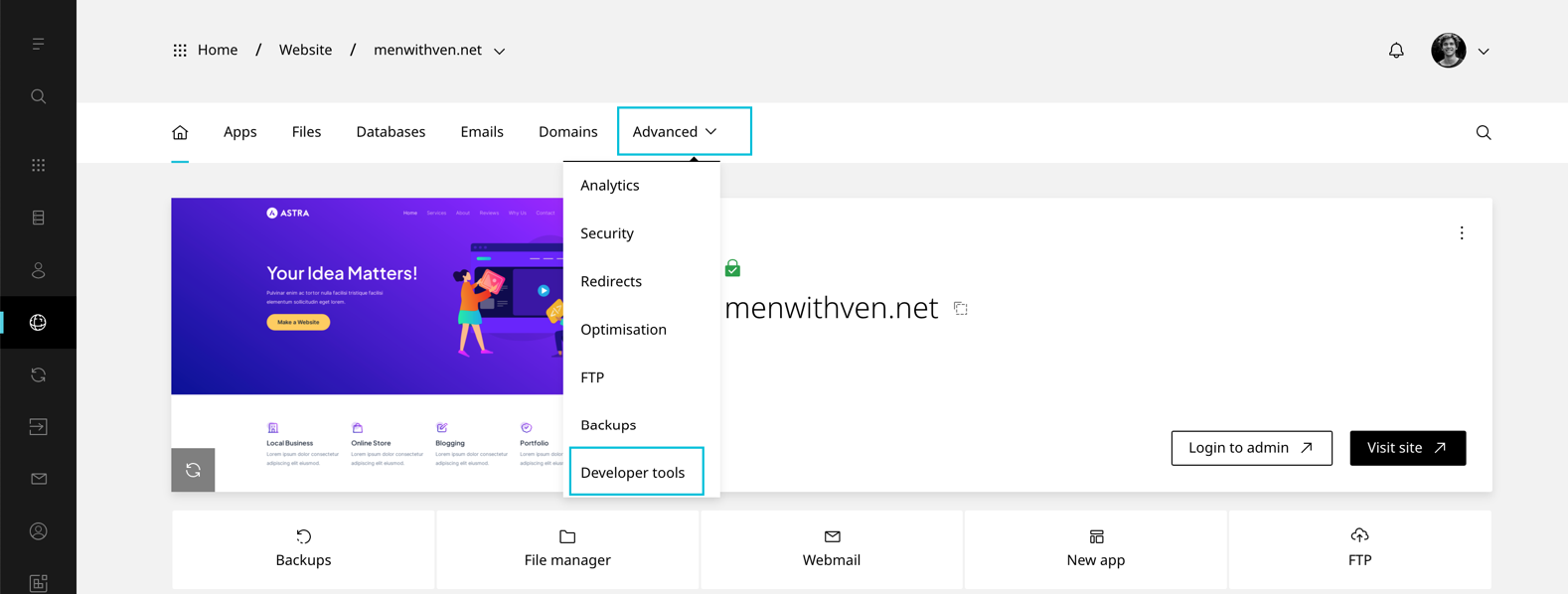
- When the website dashboard loads select Advanced in the top navigation
- Select Developer tools
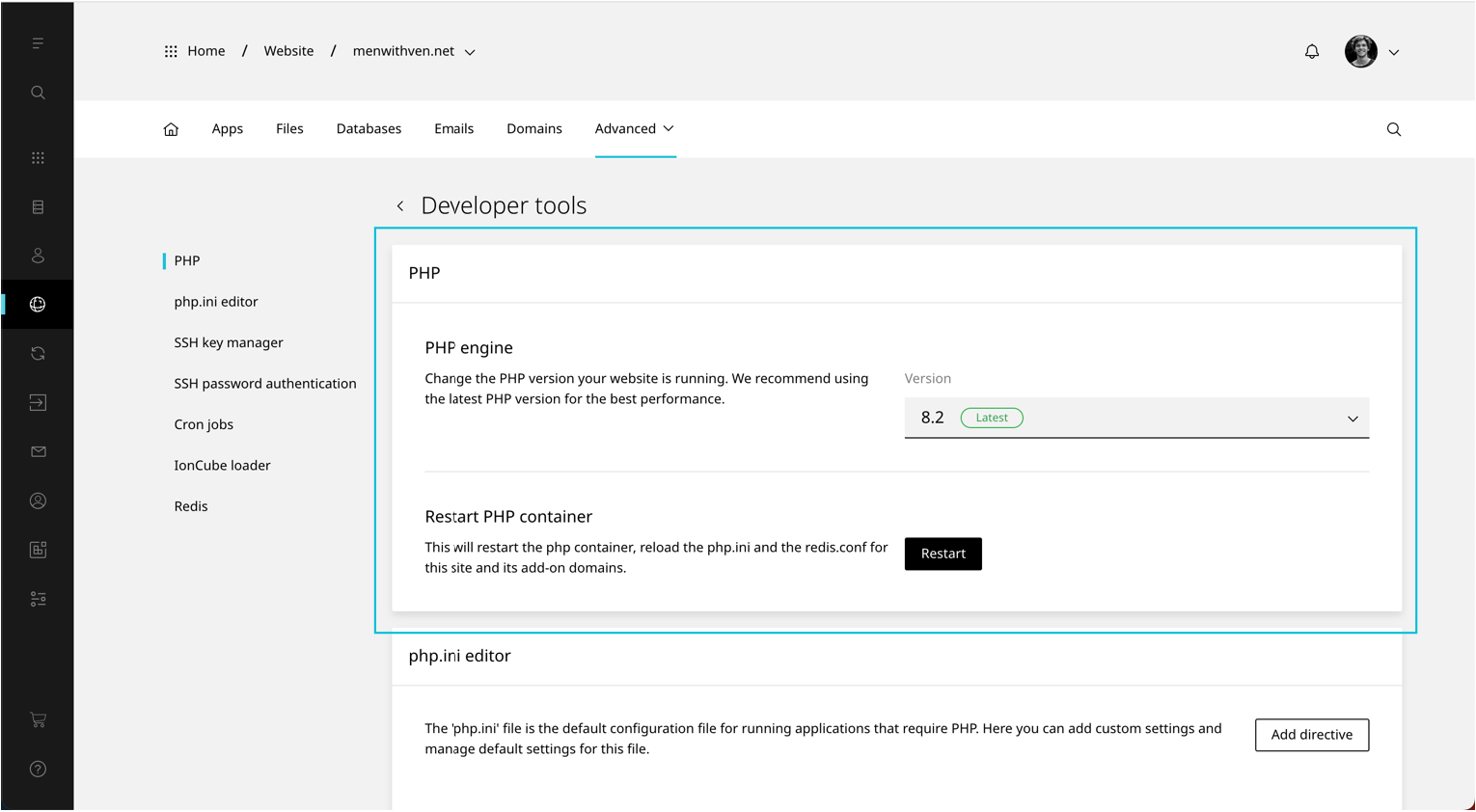
- Scroll to PHP
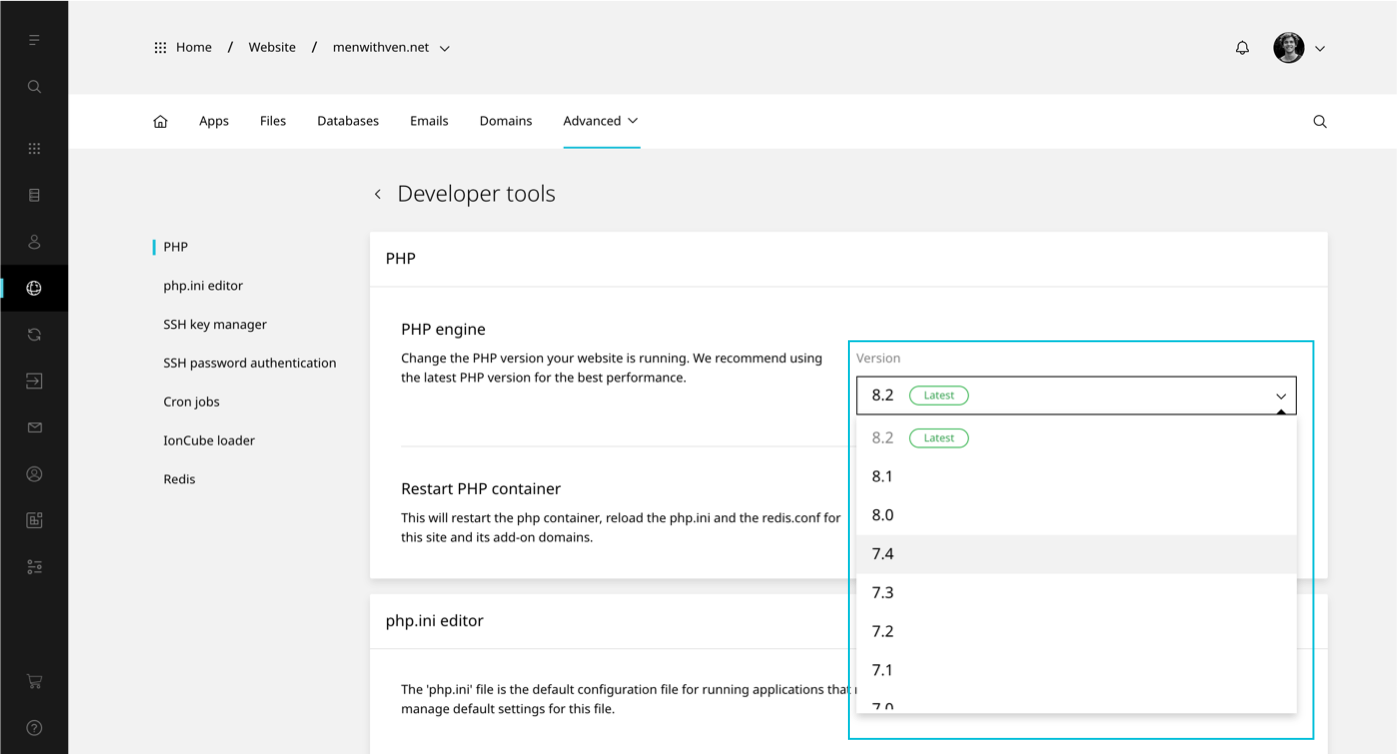
- Selected preferred PHP version from the drop down
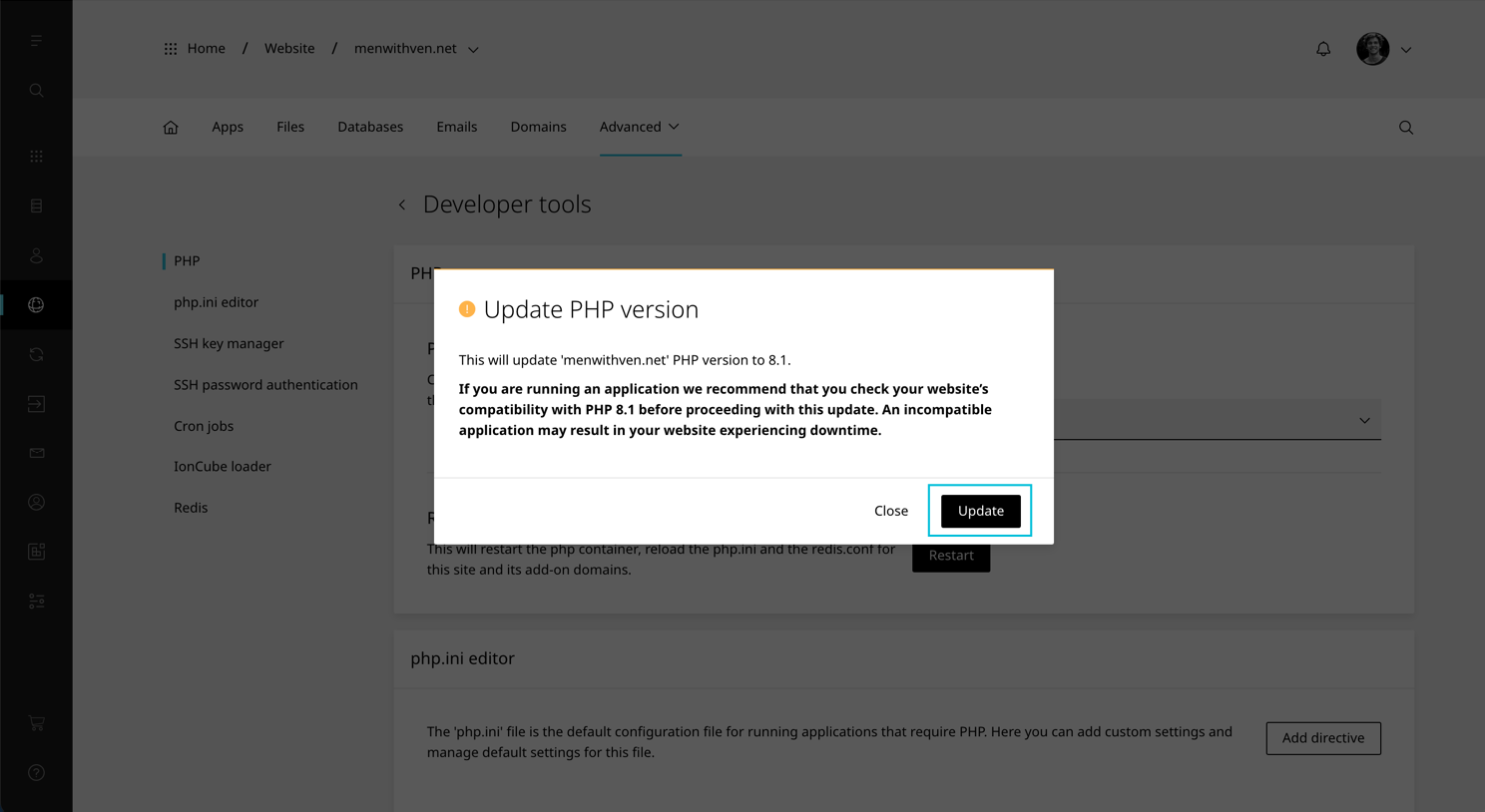
- A confirmation modal will load. Select Update to finish.
TIP
The IonCube loader is not available on PHP 8.0 and 8.3
Restart PHP
Each primary website on Enhance has its own PHP container. It is possible to restart this container without impacting other websites on your Enhacne account.
Restarting a website’s PHP container will reload the php.ini and the redis.conf for this site and its addon, aliases and subdomains domains. It will also terminate any stuck PHP workers and allow for new requests to be serverd.
To restart a website’s php container:
- Open Websites in the left side bar
- Select the website you would like to update the php version on
- When the website dashboard loads select Advanced in the top navigation
- Select Developer tools
- Scroll to PHP
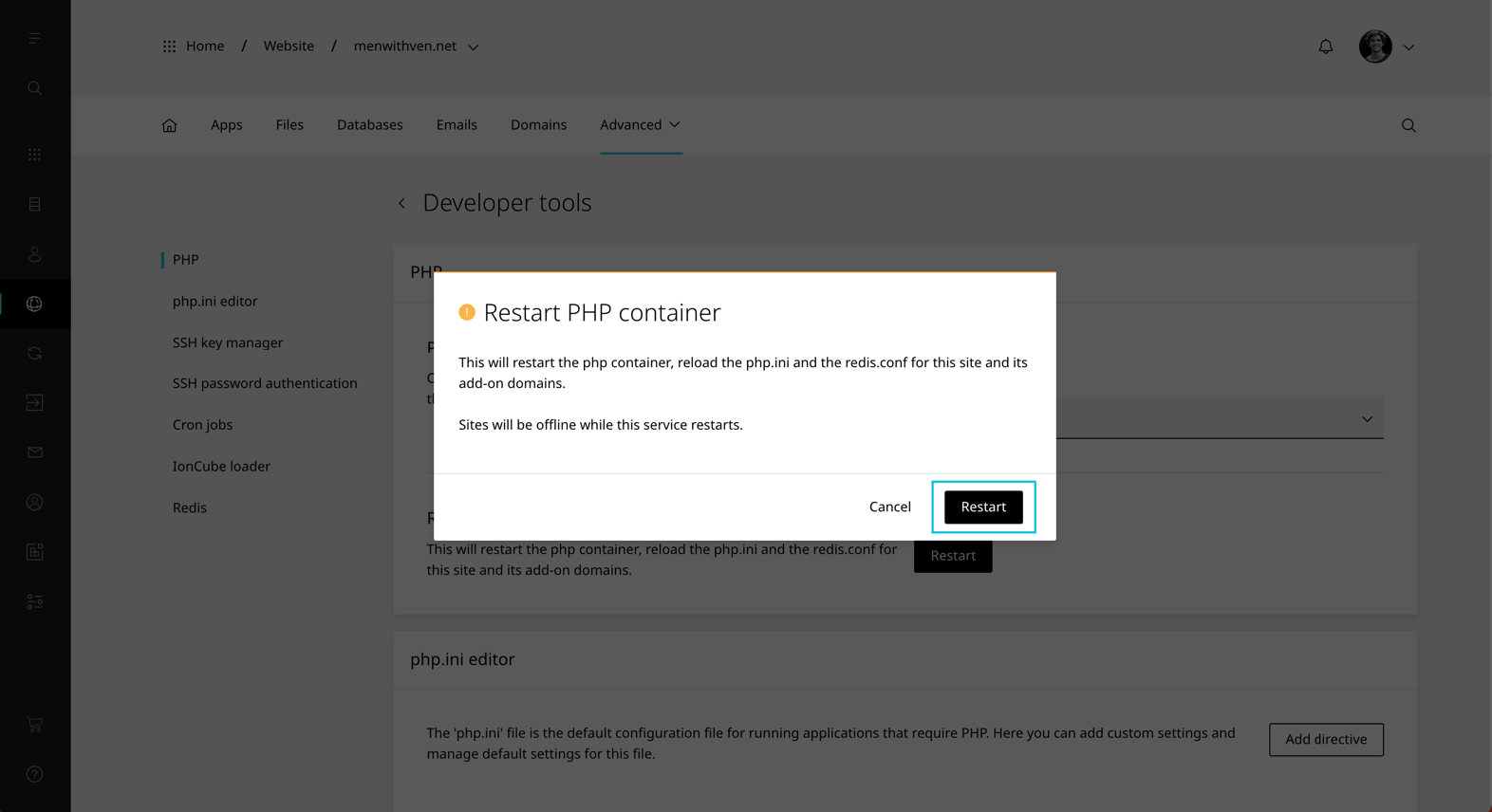
- Under ‘Restart PHP container’ click Restart
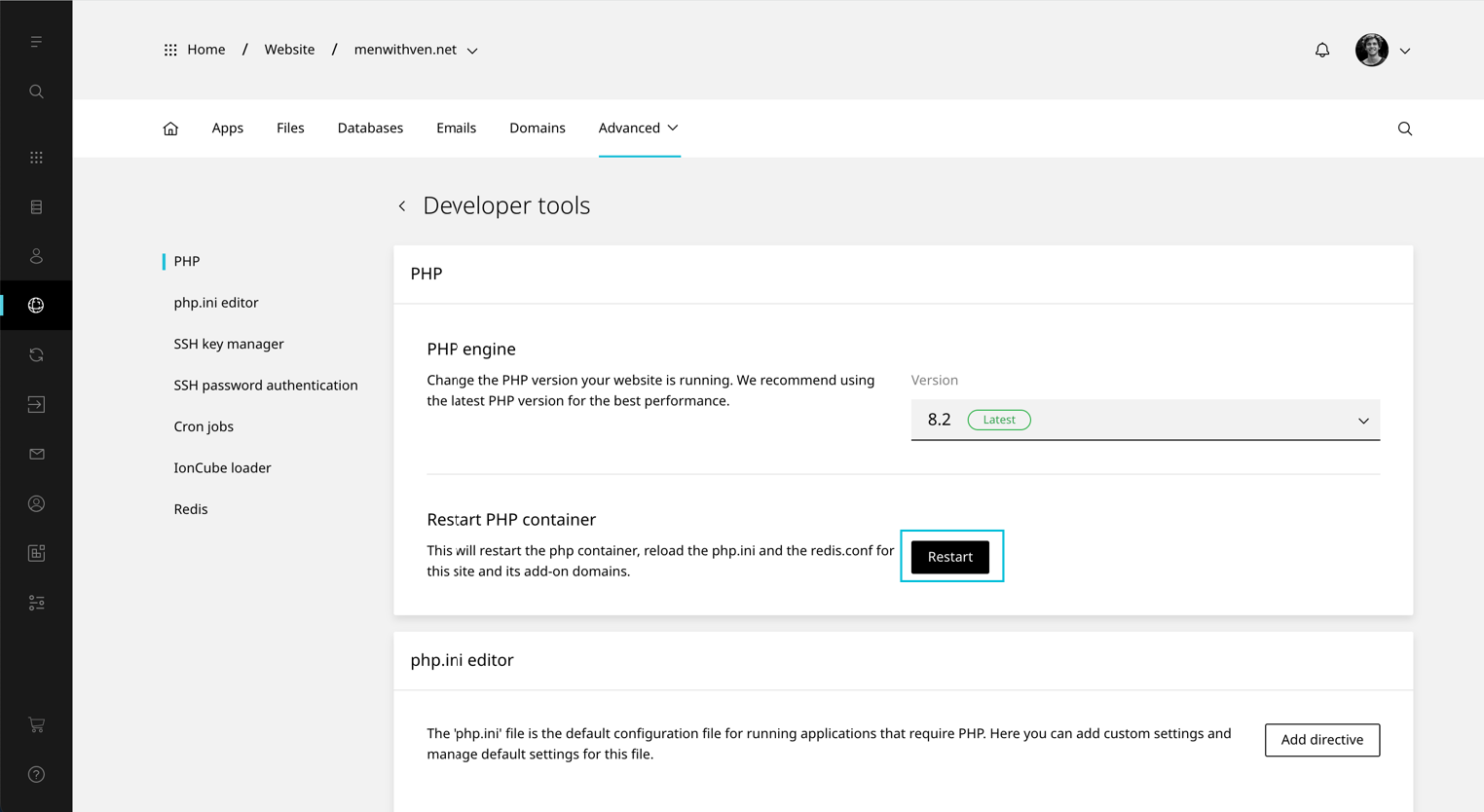
- A confirmation modal will load. Select Restart.
WARNING
The website will be offline while the PHP service restarts.