Ioncube

Published on July 30, 2025

Enabling IonCube

The IonCube loader (opens new window)can be enabled on a per website basis. This setting is disabled by default.

TIP

If you have previously enabled the Ioncube loader manually on a website, we recommend removing the php.ini directive prior to enabling the Ioncube loader in the Enhance UI.

To enable the Ioncube loader on a website:

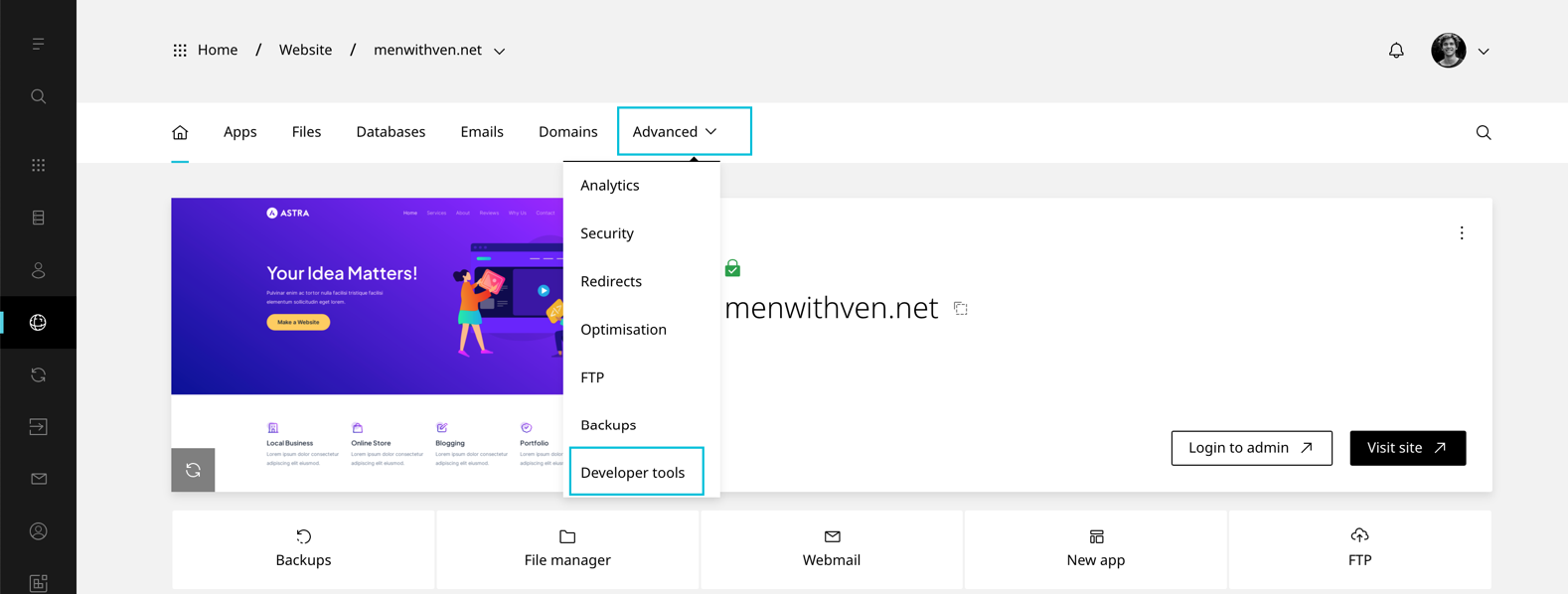
  1. On the website dashboard selectΒ AdvancedΒ thenΒ Developer toolsΒ This is the alt tag?
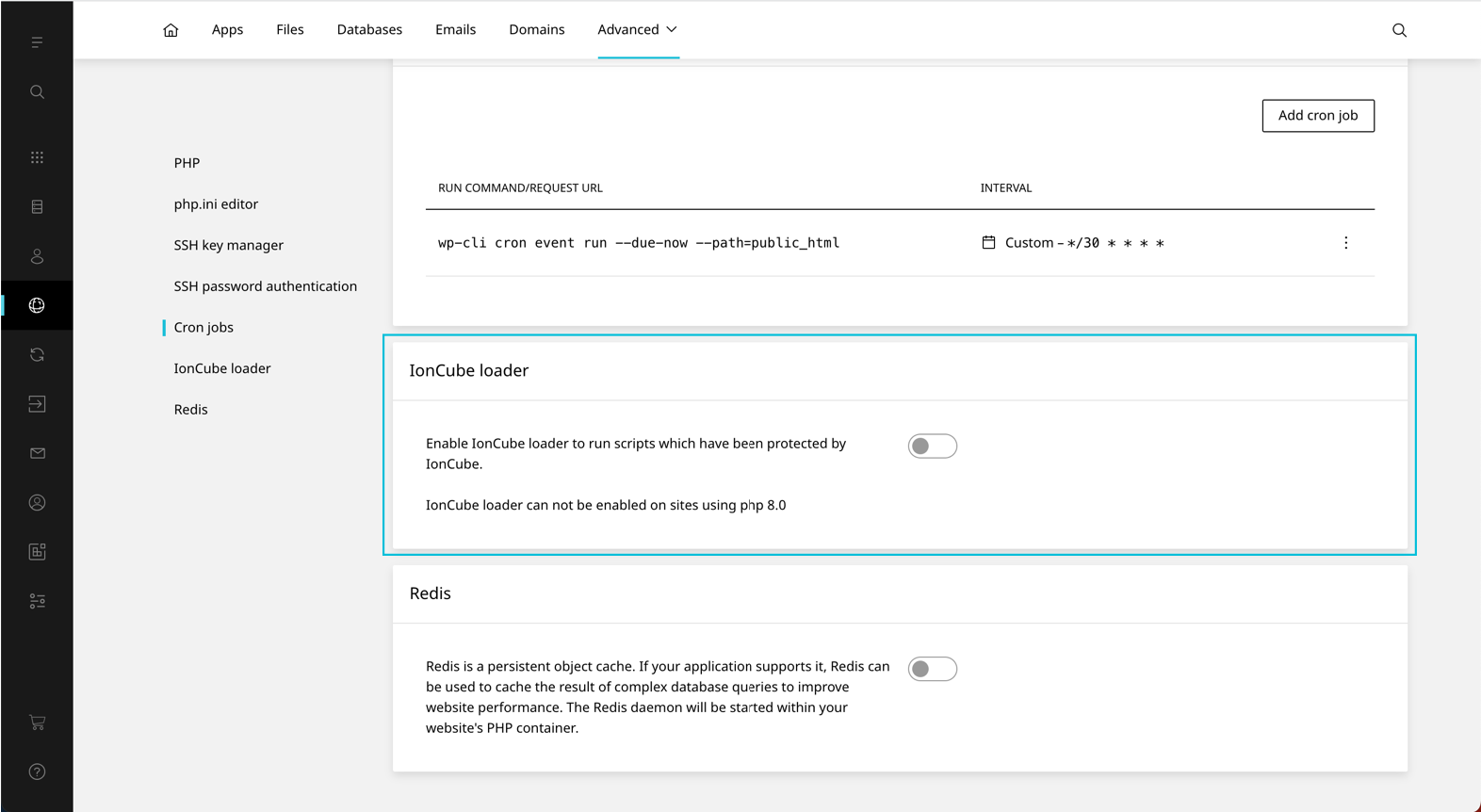
  2. Scroll toΒ IonCube loaderΒ This is the alt tag?
  3. Toggle IonCubeΒ On

Was this article helpful?

Leave a Reply

Your email address will not be published. Required fields are marked *

');">

Secure, reliable, and compliant hosting solutions

SSL Secured
256-bit Encryption
99.9% Uptime
SLA Guaranteed
GDPR Compliant
EU Hosted
24/7 Support
Expert Help
30-Day
Money Back
Green Energy
Renewable Powered
ISO
Datacenter Certified
πŸ‡±πŸ‡Ί Luxembourg Data Centers
πŸ‡ͺπŸ‡Ί EU Data Centers
PCI
Ready
SOC
Datacenter

Secure Payment Methods

VISA
MC
PayPal
SEPA
AMEX
Apple Pay
G Pay

Listed on WHTop hosting directory

Β© 2026 CloudHosting.lu. All rights reserved.

Powered by renewable energy in Luxembourg

Privacy Policy β€’ Terms of Service β€’ Cookie Policy β€’ GDPR β€’ Contact β€’ Sitemap
Cookie Settings