Core Auto-updates
Published on July 30, 2025
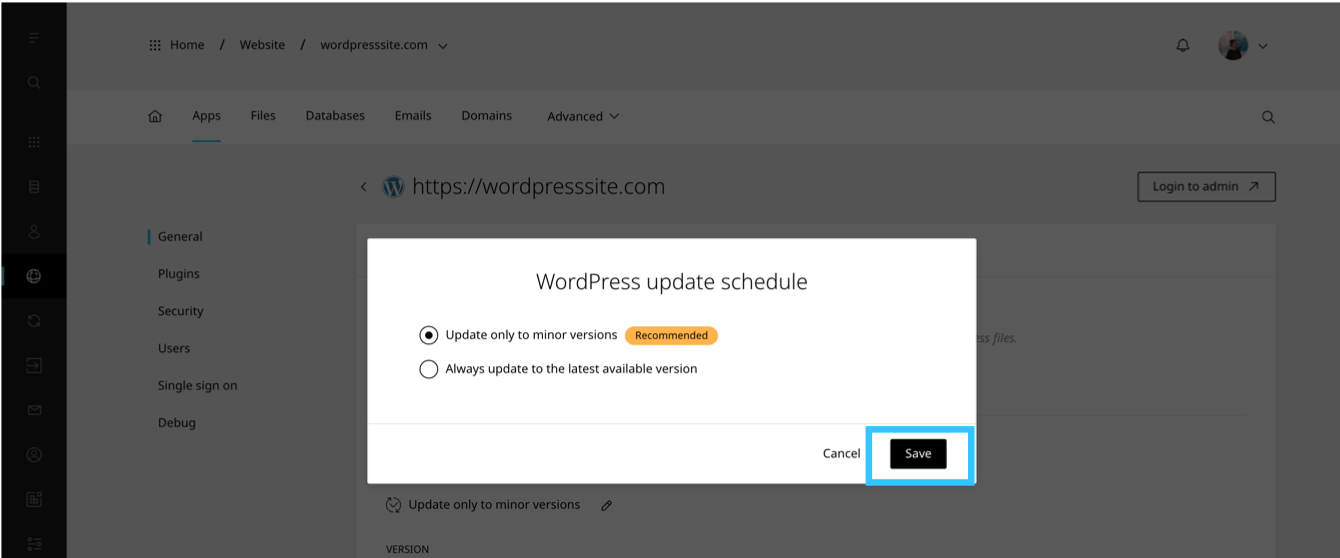
The Enhance WordPress toolkit allows users to select an update schedule for the core WordPress software.
This tool cannot be enabled/disabled on a package level.
By default the core WordPress update schedule is set to: Update to only minor versions
Change auto-updates schedule
To change a WordPress site’s auto-update schedule:
- Open Websites in the left sidebar
- Locate the website you would like to change the auto-update schedule for and click Manage
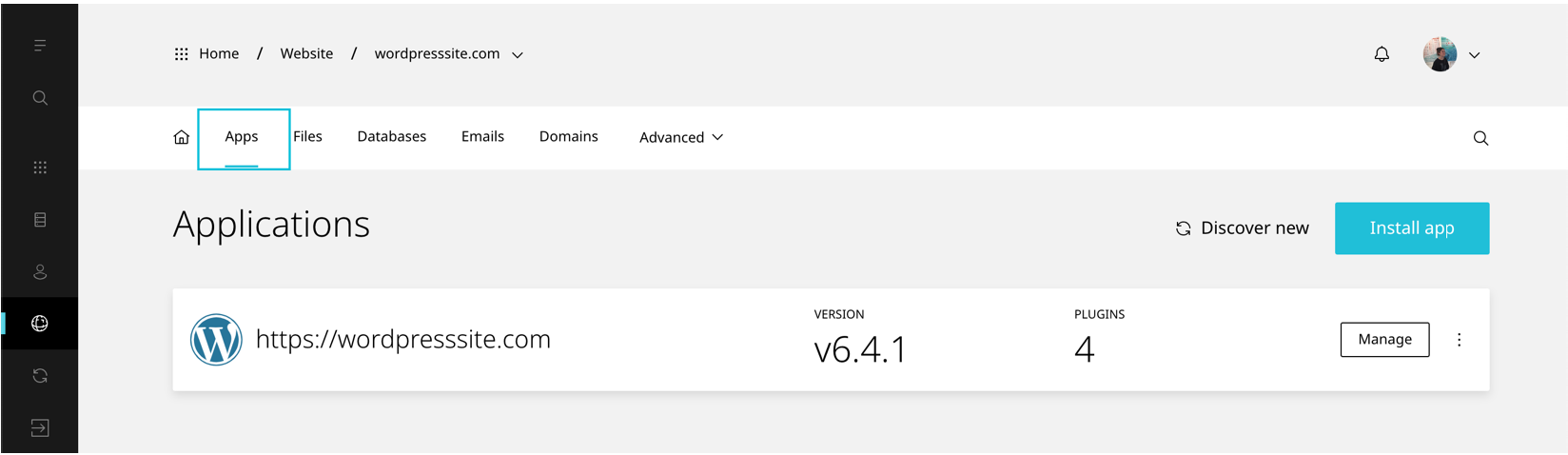
- When the website dashboard loads select Apps
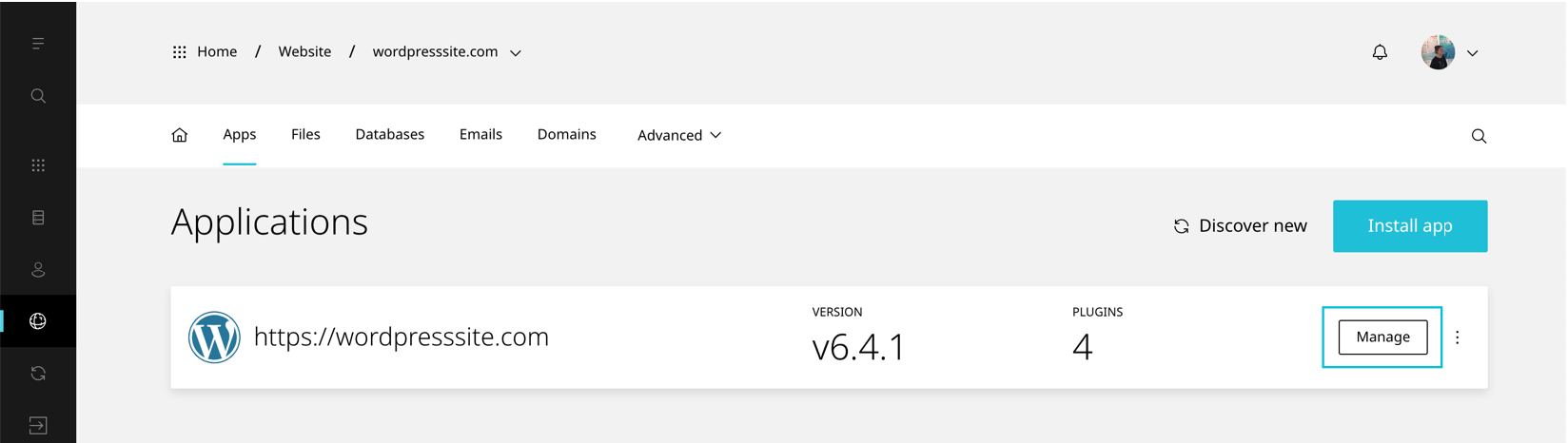
- Select Manage on the application you would like to change the auto-update schedule for
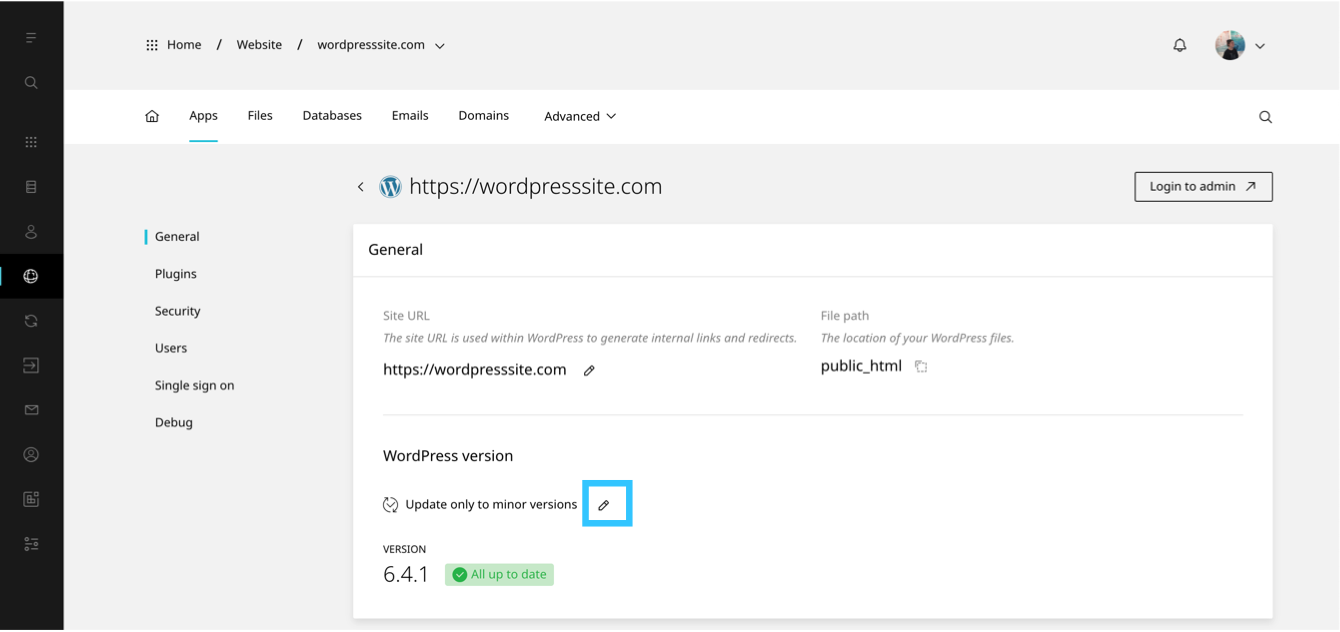
- Scroll to General
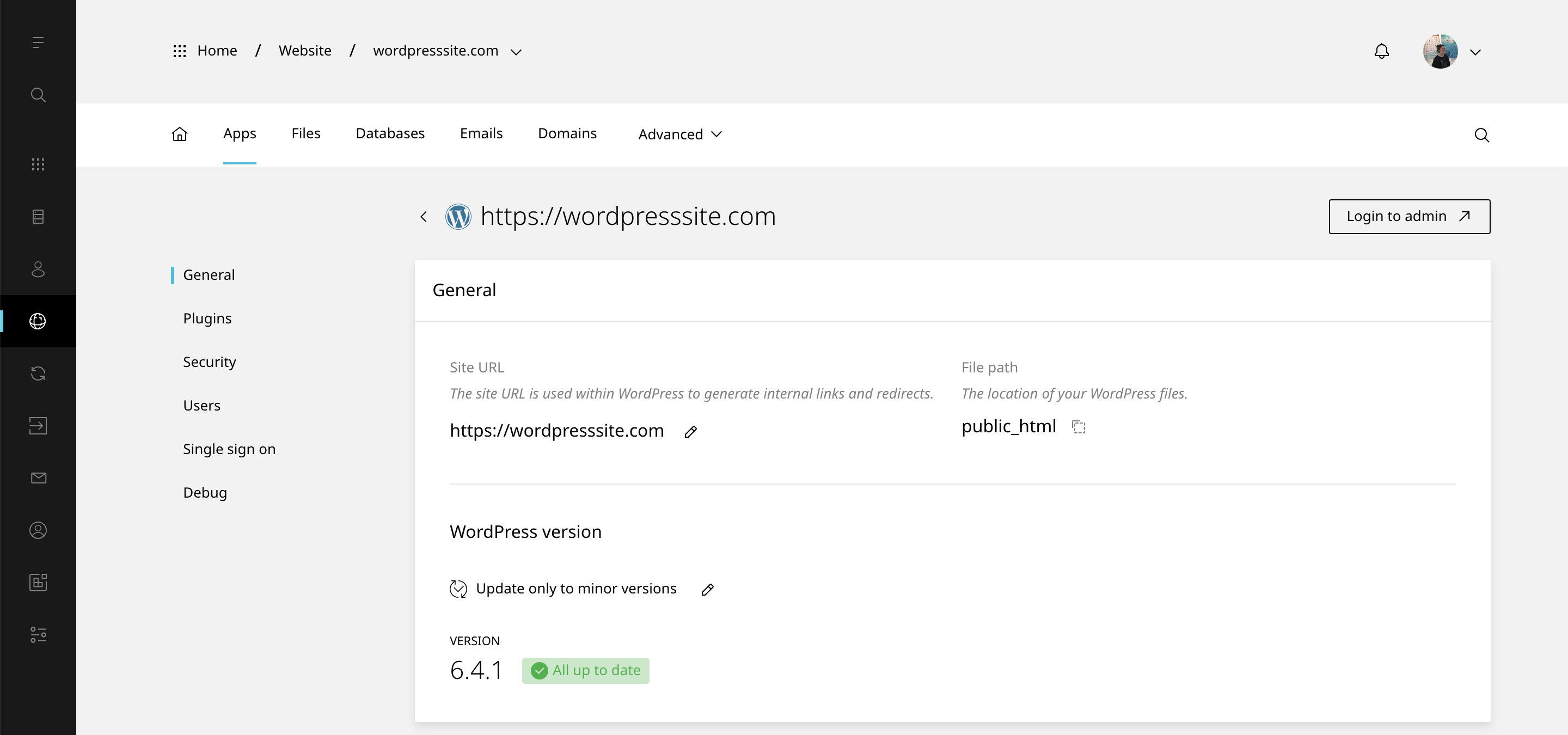
- Select the pencil icon
- Once the modal loads, select your preffered udpate schedule
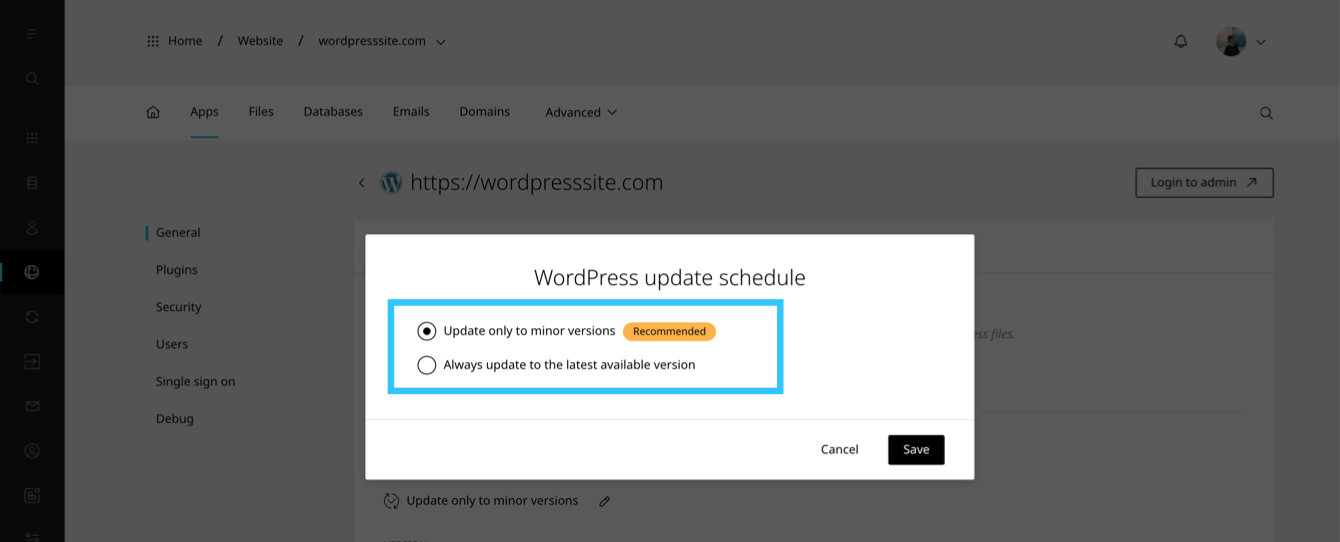
- To finish click Save