Redis

Published on July 30, 2025

Redis can be enabled on a per website basis. This setting is disabled by default. Once enabled the user will be provided with conenction details and will be able to configure the redis.conf through the Enhance UI.

WARNING

In order to enable/disable Redis, ‘Redis’ must be enabled on the website’s hosting package.

To enable Redis on a website:

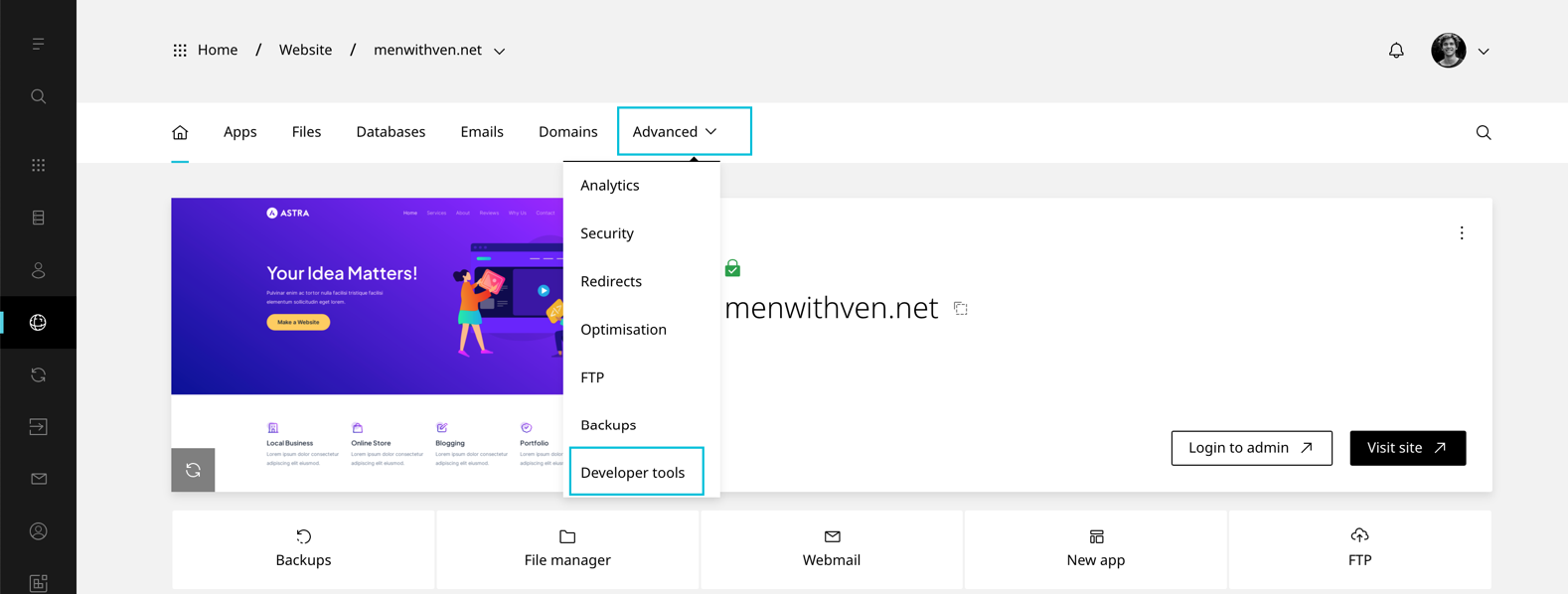
  1. On the website dashboard selectΒ AdvancedΒ thenΒ Developer tools
This is the alt tag?
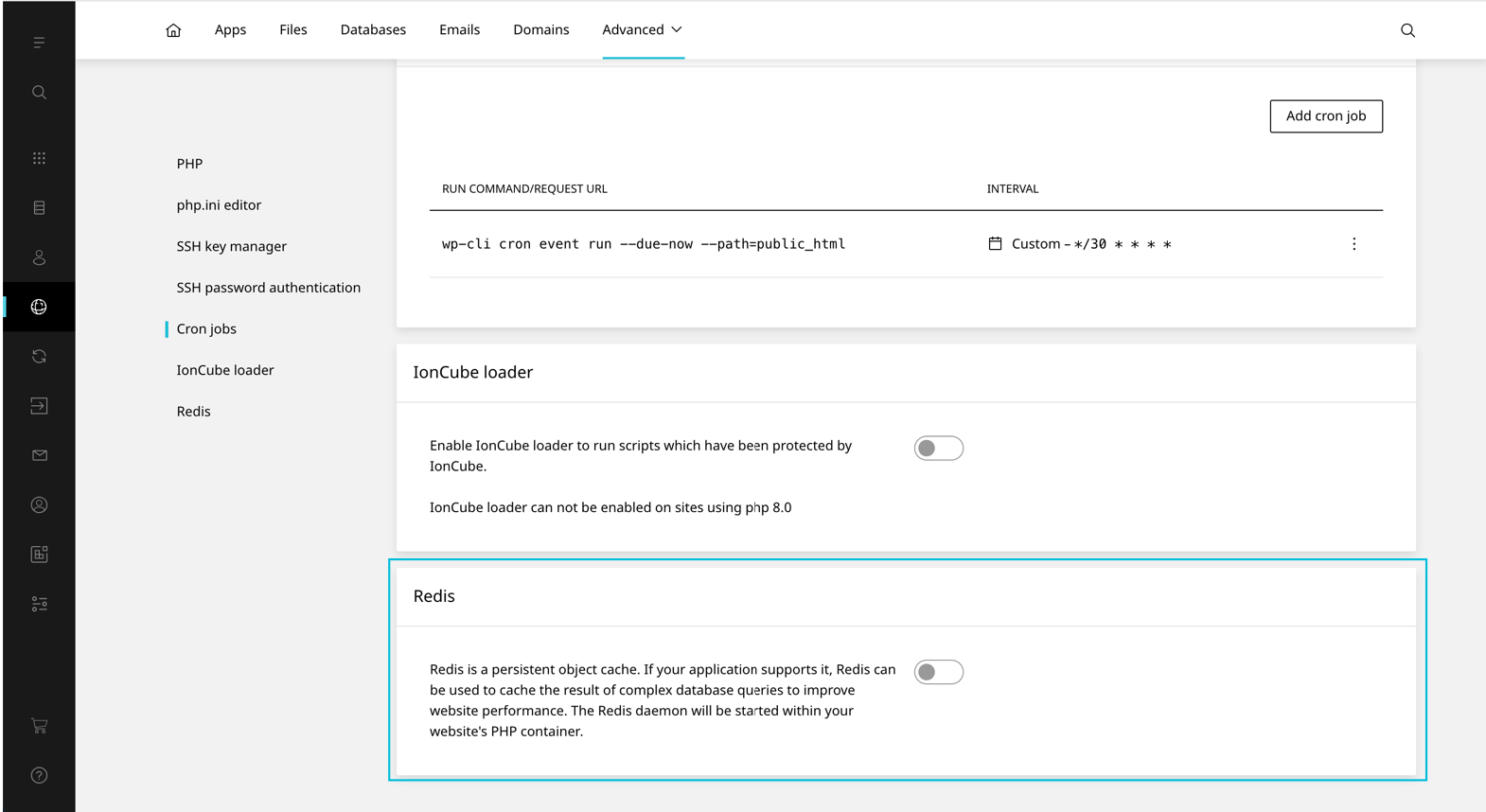
  1. Scroll toΒ RedisΒ This is the alt tag?
  2. Toggle RedisΒ On

Was this article helpful?

Leave a Reply

Your email address will not be published. Required fields are marked *

');">

Secure, reliable, and compliant hosting solutions

SSL Secured
256-bit Encryption
99.9% Uptime
SLA Guaranteed
GDPR Compliant
EU Hosted
24/7 Support
Expert Help
30-Day
Money Back
Green Energy
Renewable Powered
ISO
Datacenter Certified
πŸ‡±πŸ‡Ί Luxembourg Data Centers
πŸ‡ͺπŸ‡Ί EU Data Centers
PCI
Ready
SOC
Datacenter

Secure Payment Methods

VISA
MC
PayPal
SEPA
AMEX
Apple Pay
G Pay

Listed on WHTop hosting directory

Β© 2026 CloudHosting.lu. All rights reserved.

Powered by renewable energy in Luxembourg

Privacy Policy β€’ Terms of Service β€’ Cookie Policy β€’ GDPR β€’ Contact β€’ Sitemap
Cookie Settings