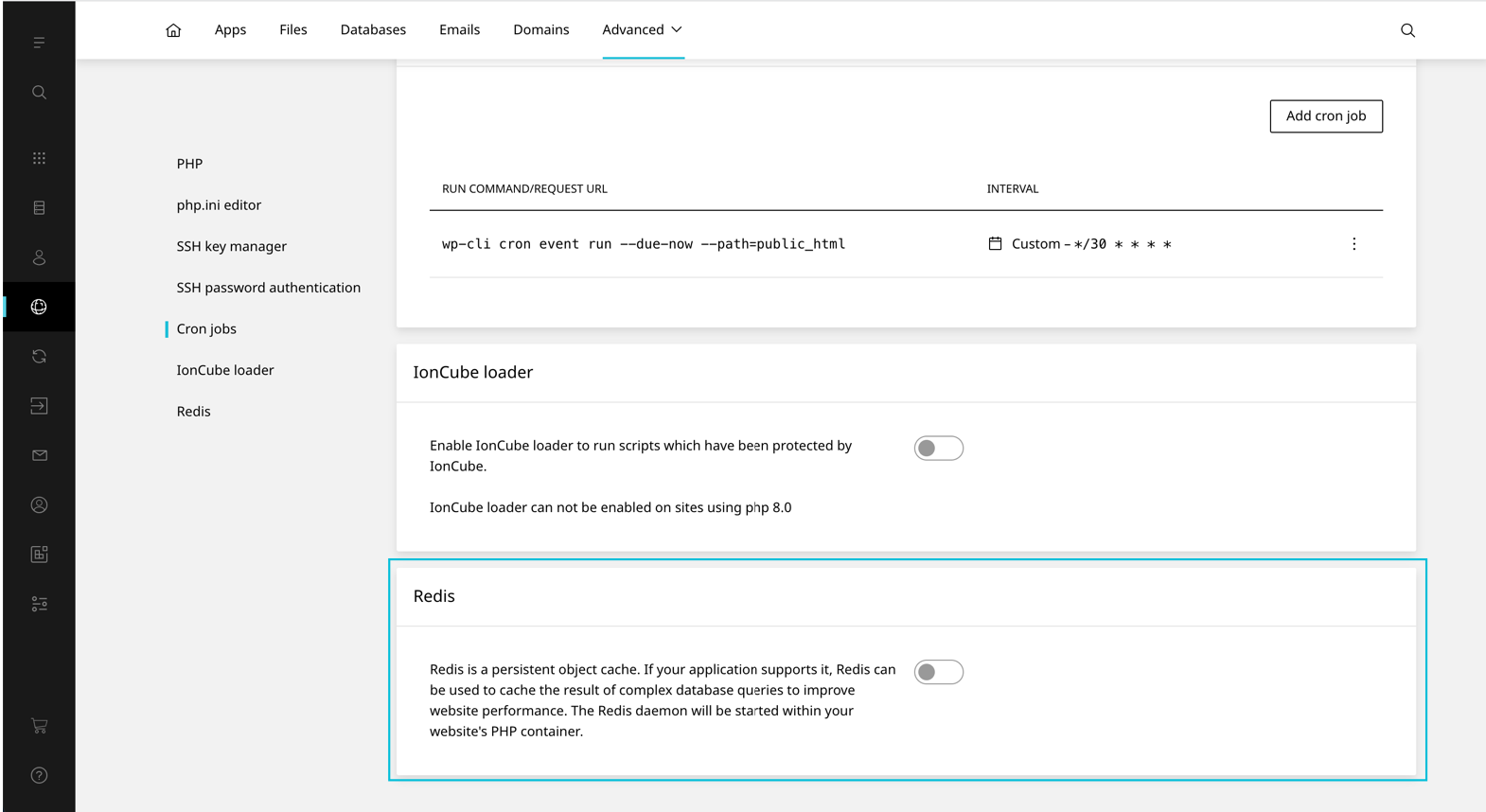
Redis

Published on July 30, 2025

Redis can be enabled on a per website basis. This setting is disabled by default. Once enabled the user will be provided with conenction details and will be able to configure the redis.conf through the Enhance UI.

WARNING

In order to enable/disable Redis, ‘Redis’ must be enabled on the website’s hosting package.

To enable Redis on a website:

  1. On the website dashboard select Advanced then Developer tools
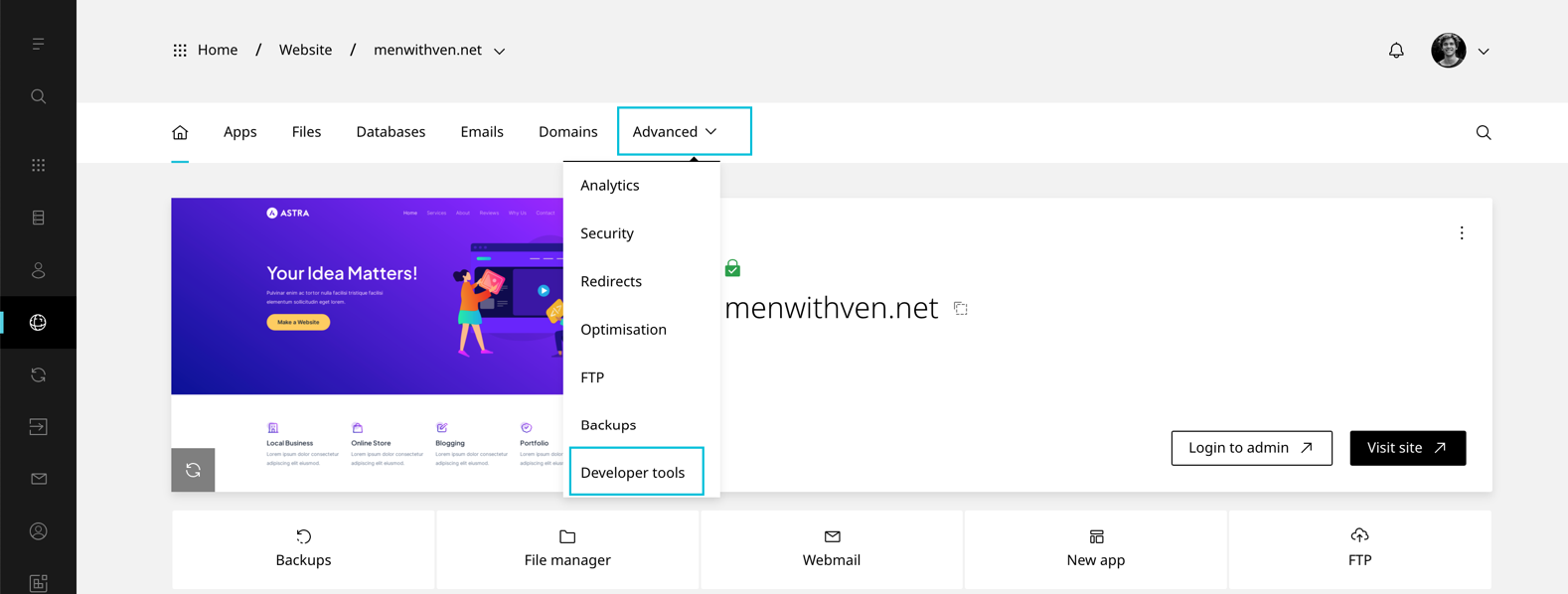
This is the alt tag?
  1. Scroll to Redis This is the alt tag?
  2. Toggle Redis On

War dësen Artikel hëllefräich?

Leave a Reply

Your email address will not be published. Required fields are marked *

');">

Sécher, zouverlässeg a konform Hosting-Léisungen

SSL-sécher
256-Bit-Verschlësselung
99,9 % Disponibilitéit
SLA-garantéiert
GDPR-konform
EU-gehost
24/7 Support
Expert Hëllef
30 Deeg
Suen zréck
Gréng Energie
Mat erneierbare Energien ugedriwwen
ISO
Datacenter-zertifizéiert
🇱🇺 Luxembourg Rechenzentren
🇪🇺 EU-Rechenzentren
PCI
Prett
SOC
Datacenter

Sécher Bezuelméiglechkeeten

VISA
MC
PayPal
SEPA
AMEX
Apple Pay
G Pay

Am WHTop Hosting-Verzeichnis opgefouert

© 2026 cloudhosting.lu. All rights reserved.

Powered by renewable energy in Luxembourg

Cookie Settings