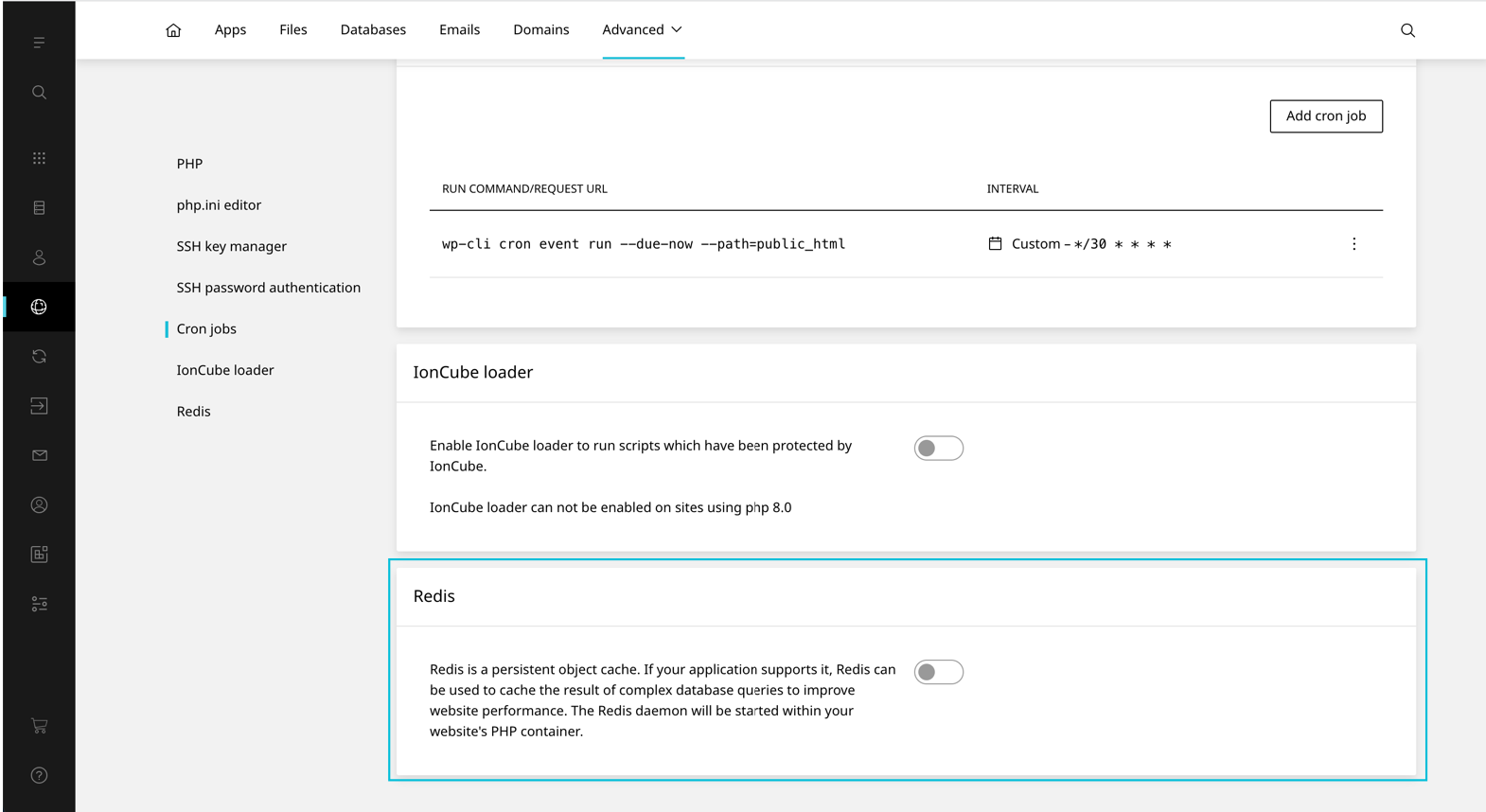
Redis
Veröffentlicht am 30. Juli 2025
Redis can be enabled on a per website basis. This setting is disabled by default. Once enabled the user will be provided with connection details and will be able to configure the redis.conf through the Enhance UI.
WARNING
In order to enable/disable Redis, ‚Redis‘ must be enabled on the website’s hosting package.
To enable Redis on a website:
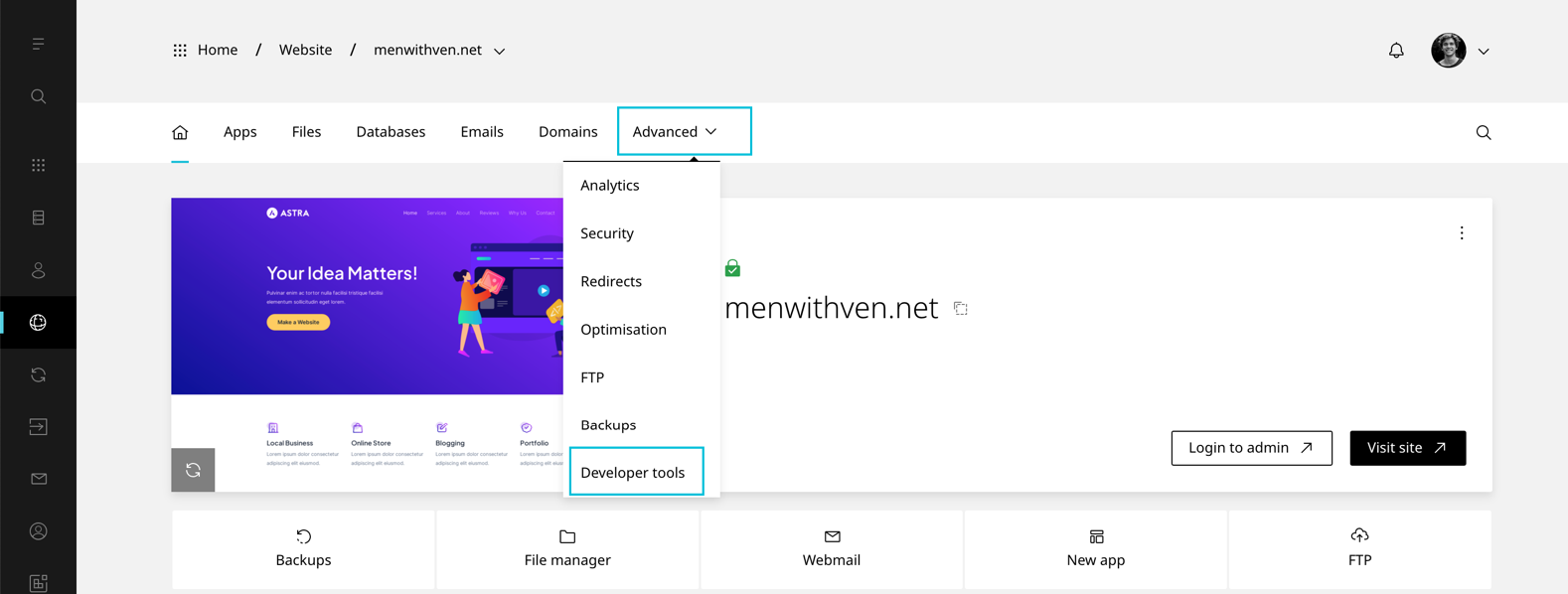
- On the website dashboard select Advanced then Developer tools
- Scroll to Redis

- Toggle Redis On